
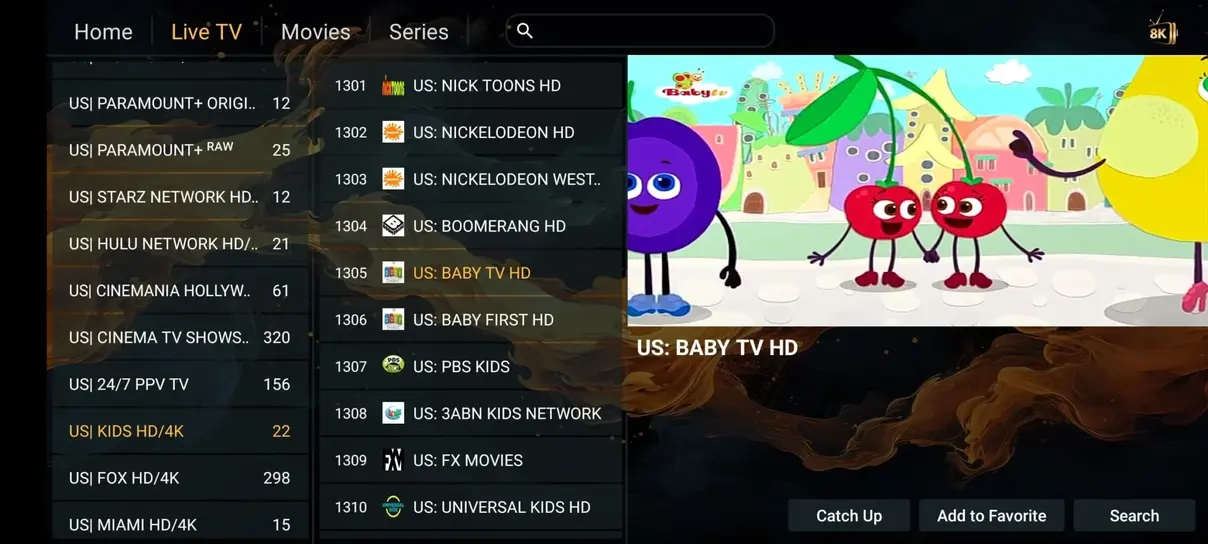
A useful lineup starts with your own interests
The advertised Iflex IPTV lineup includes 35.000+ live channels and 1.000+ 24/7 channels, alongside a separate on-demand library. Those totals describe breadth, but your day-to-day experience depends on finding the programs you actually want. Begin with a short list of essential stations, languages, leagues, and viewing times rather than treating every category as equally important.
Before ordering, ask support to confirm the specific channels on that list for your location and chosen package. A broad label such as Sports or USA does not guarantee every regional feed. This is particularly important when one local station or one annual event is the main reason you are considering the service.
News and current-affairs programming
News categories may organize stations by country, language, or general subject. A viewer interested in local weather has different needs from someone following international affairs. Search for the exact station and regional edition rather than assume that a familiar network name supplies the same broadcast everywhere.
Check the program guide and time zone so you can recognize the intended bulletin. A 24/7 news channel, a replayed news program, and a live local affiliate are different types of source. If timeliness matters, verify that you are watching the live feed rather than a loop or catch-up entry. Category names can help navigation, but the actual stream and schedule provide the useful context.
Sports categories and live-event planning
Sports groups can include different competitions, commentary languages, and event feeds. The advertised offering includes sports categories, Formula 1, MotoGP, and PPV-related entries. Confirm the event and channel before purchasing for a particular fixture, because rights, schedules, and territorial access can change. A channel logo alone is not an event guarantee.
For an important match, test the intended device and network beforehand. Add the confirmed channel to favorites and check the guide’s local start time. Live streaming may have a delay relative to another broadcast source, so avoid assuming that a phone score alert and the television picture will be synchronized. The troubleshooting guide covers interruptions without promising zero latency.
Movies, entertainment, and general channels
Live movie and entertainment channels follow their own schedule. They can be useful when you want to browse what is on without selecting a specific title from the library. The program guide helps distinguish a film, series episode, repeat, or promotional segment before you open the channel.
Do not confuse a live movie category with the on-demand catalog. The same title may be unavailable in one mode while present in the other, and language tracks can differ. If your household prefers choosing a precise episode at a convenient time, the VOD section may be more appropriate. Our on-demand guide explains how those modes fit together.
Family viewing and parental controls
A family or children’s category is a navigation aid, not a complete parental-control system. The player may still allow access to other groups through search, favorites, or a different account. Configure a PIN or profile restriction where the app supports it, then test the result from the ordinary viewing screen.
Check how controls behave after an app restart or playlist update. Some settings hide categories visually without requiring a PIN to restore them. Adults should keep device-management keys and account credentials private. If the package contains mature content, verify that the chosen player can restrict it in a way that matches the household’s needs before allowing unsupervised use.
International and language-based groups
International categories help viewers find familiar programming away from their home country or combine several languages in one household. English, German, French, Spanish, Italian, and Scandinavian groups are among the advertised choices. Ask about the actual stations and regional editions that matter to you rather than only the language label.
A translated channel name or program description does not establish the audio language. Open the stream and inspect the available tracks where supported. Some content has subtitles in additional languages, while other sources offer only the original audio. The player’s language setting changes its menus and may not change the program itself.
What 24/7 channels are designed to do
A 24/7 category commonly contains continuous programming streams, sometimes organized around a series, theme, or repeated collection. These can be convenient when you want a familiar background choice without selecting individual episodes. The advertised lineup includes 1.000+ such channels, separate from the broader live-channel count.
Do not assume a continuous channel is a live broadcaster or that it follows a conventional television schedule. The guide may be limited, and episode selection may not be available. If you want to choose a particular season or resume an exact point, use an available on-demand version instead. Treat the category as a different viewing format rather than an extra recording service.
Adult categories and plan differences
Adult channels are included in the annual package, while the three- and six-month plans show a separate surcharge in the selected currency. Ask support about the one-month options before ordering. Access is for eligible adults and remains subject to applicable restrictions and the content actually available in the package.
On a shared television, use an effective player PIN and confirm whether search results reveal restricted items. Do not rely on moving a category to the end of the list. If adult content is unwanted, ask about excluding it and use the app’s supported controls. The pricing page shows the current add-on amounts without requiring you to infer them from a generic channel list.
Favorites are better than endless scrolling
A large catalog becomes easier to use when the first screen contains a small, deliberate set of favorites. Start with the channels you watch weekly, then add occasional choices as needed. This reduces the number of remote presses and helps other household members find familiar programs without learning the entire category structure.
Some players also let you hide unused groups or reorder them. Before making extensive changes, check whether the settings survive a playlist refresh and whether a backup is available. A source update can change identifiers and leave an old favorite pointing to a missing entry. Search the refreshed list before concluding that the channel was removed.
Regional availability and rights
A category can be visible even when an individual stream is unavailable in your location or at a particular time. Distribution permissions, local rules, source changes, and package conditions all affect access. A working stream should not be treated as proof that every use is authorized, and a VPN does not create content rights.
For US viewers, local affiliates and regional sports deserve specific confirmation. Ask about the exact channel edition, language, and intended viewing location. Keep the answer with your order information if it is central to the purchase. Our legality and safety page explains the questions to ask without claiming that an app or playlist format establishes licensing.
When the category list changes
Providers may reorganize groups, replace sources, or update names. Your player may need a playlist refresh to show the current arrangement. An old favorite or cached guide entry can remain visible after the source changes, so compare it with the current category before changing account settings.
If a group disappears, note whether other channels still work and whether the app recently updated. Avoid importing the same account several times in response; duplicate playlists can make the problem harder to understand. Report the previous category name and a few affected channels to support. Specific examples are easier to trace than a report that everything has moved.
Prepare a channel check before choosing a plan
Make a concise list with three columns: essential channels, preferred language or region, and typical viewing time. Add any sports events or catch-up requirements separately. Ask support to check those items for the proposed package, then choose the screen allowance based on how many programs your household will watch together.
Once the account is active, follow the installation guide and test the confirmed essentials first. Compare the plan totals on the pricing page rather than choosing only by catalog size. A smaller set of dependable favorites, clear regional expectations, and a player you can navigate comfortably are more useful than an unorganized list of thousands of names.