
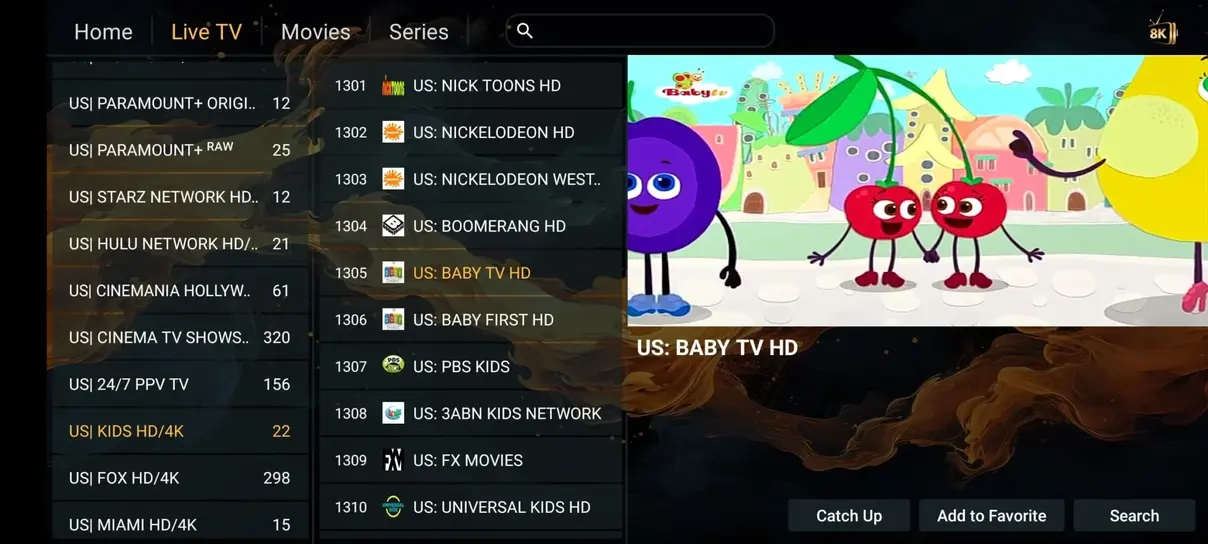
Live television is only one viewing mode
A live channel follows a broadcast schedule. Video on demand lets you choose an available title and start it when you are ready. Catch-up provides access to a recent broadcast on supported channels for a limited period. These modes may sit next to each other in a player, but they have different availability and controls.
Knowing which mode you are using prevents confusion when a button behaves differently. A movie may allow seeking across its full duration, while a live channel cannot jump into a future program. A guide entry from yesterday may open replay only when the account and channel support catch-up. The interface alone does not establish that every mode is available.
Browsing the on-demand library
The advertised Iflex IPTV catalog contains 142.000+ movies and series on demand. A compatible player may organize them into categories, posters, seasons, and episode lists. Search can be the fastest route when you know the title, while category browsing works better when you are deciding what fits the evening.
Catalog entries can change and may differ by location or package. A poster shown on this site is a visual example, not a permanent availability promise. If a particular film or series is the reason for your purchase, ask support to confirm it before ordering. The same applies to language tracks and specific seasons.
Find the right version of a title
A library can contain similar names, different release years, or multiple language versions. Check the title details before starting, especially when a search result seems familiar but the poster or duration differs. For series, confirm the season and episode number rather than rely only on the order in which tiles appear.
If an app uses external artwork or metadata, that information may not perfectly describe the underlying source. A displayed rating or synopsis is separate from the actual media stream. Report a clear mismatch with the title and category details so support can investigate; repeatedly changing the player language may not fix incorrect source metadata.
Audio tracks and subtitle options
Open the player’s audio and subtitle controls after playback begins. Available choices depend on the source and the app’s support for those formats. A menu icon does not guarantee that every title contains several languages, and a translated synopsis does not mean the audio is translated as well.
Test a short segment before starting a film with the family. Confirm subtitle size and position from your normal seating distance. If captions are out of sync and the player offers an offset control, make a small adjustment and check again. Keep accessibility preferences where supported, but expect some titles to provide fewer options than others.
Resume playback and watch history
Resume position is often managed by the player on a particular device. If you stop an episode on a television and open the account on a phone, the second app may not know where you left off. Cross-device synchronization requires explicit support from the software and should not be assumed from the subscription alone.
Before resetting or replacing a player, check whether its backup includes watch history. Clearing application data can remove saved progress, favorites, and account settings. A simple note of the series, season, and episode may be enough when moving between devices. For shared screens, consider whether another viewer’s progress will overwrite your place.
What catch-up actually provides
Catch-up is a replay window for supported broadcasts. The available history may vary by channel, source, and package, and some programs may not be replayable even when neighboring guide entries are. The player typically indicates replay through a symbol, a separate category, or an action on an earlier program entry.
This is different from a personal recorder. Catch-up does not mean the service stores every program indefinitely or lets you schedule a recording of any future channel. Check the particular channel’s replay availability before relying on it for an event you cannot watch live. Once the retention window closes, the program may no longer be accessible.
Using the guide to start a replay
Set the device clock and local time zone correctly, then open the EPG and navigate to the earlier broadcast. If the channel supports catch-up, choose the replay action offered by the player. A mismatch between schedule time and source time can cause playback to begin at the wrong point or fail to open.
Test with a recent program whose broadcast time you know. If every replay is shifted by the same amount, investigate guide offsets rather than changing account credentials. If only one program fails, the source may not provide it. The M3U and EPG guide explains how schedule matching and time-zone interpretation affect these controls.
Choosing a sensible stream quality
On-demand viewing still depends on the source resolution, device decoder, and network. HD can be a comfortable starting point on many screens, while 4K needs a suitable source and enough sustained bandwidth. A higher number is not always the best choice for a phone, a metered connection, or an older streaming device.
If playback repeatedly pauses, try a lower-quality version where available and compare the result. Leave room for other household traffic rather than using the entire internet connection for one stream. A wired television connection can reduce local interference, but it does not change the quality of the original video or eliminate every network issue.
Multi-screen viewing and independent choices
A multi-screen plan lets different viewers use their allowed simultaneous streams for different programs. One person might watch a live event while another starts a series. The account limit applies across those modes; an on-demand movie still counts as active playback and should not be treated as a free extra connection.
Choose the screen count from your real overlapping use rather than the total number of devices you own. If you are switching between a tablet and a TV on a single-screen account, stop the first stream before starting the second. Some apps continue playback in the background, so closing the visible panel may not always end the session.
Travel, downloads, and offline expectations
Do not assume that a player can download subscription content for offline viewing. A library interface may resemble a download-capable service without providing the same rights or functionality. Use only explicitly permitted features, and verify availability before depending on a program during a flight or a journey without internet access.
When traveling, check regional access conditions and the local network’s streaming policy. Hotel Wi-Fi can involve a browser sign-in that the television app cannot complete. Mobile hotspots may have data limits or reduced speed after a threshold. Lower resolution can reduce consumption, but it does not remove plan limits or territorial restrictions.
Diagnosing a title that will not play
Start by noting whether the issue affects one title, one category, or every on-demand item. Compare a live channel and another available movie. If live TV works but all movies fail, the player’s catalog login or source handling may need attention. If only one item fails, a source-specific problem is more likely.
Record the title, season or episode, device, app version, and exact error message. A black picture with working sound may indicate decoding or output compatibility rather than an account problem. Avoid deleting the entire player database as the first step. Support can use the specific example to investigate without losing your saved setup.
Build a viewing routine that stays simple
Keep a small watch list, organize a few favorites, and learn the controls you use most: search, audio, subtitles, resume, and guide navigation. A huge library becomes more useful when your everyday choices are easy to reach. There is no need to reorganize every category before the first evening.
For a new account, confirm the package and screen allowance on the pricing page, then use the installation guide to set up the chosen player. For a particular replay or movie question, ask support about the exact item rather than the entire catalog. Clear expectations about availability and app behavior make on-demand viewing much easier to enjoy.